Tampilkan postingan dengan label news. Tampilkan semua postingan

Minggu, 12 Juni 2016

Apple's WWDC 2016 Keynote Event: How To Watch Online


Apple's WWDC (Worldwide Developers Conference) is nearly here! The annual event held by Apple in San Francisco, California, is the time of the year when Apple allows thousands of developers from all around the world to meet with Apple engineers and attend workshops.

Apple kick starts the event with a Keynote presentation that announces what to come from Apple later in the year, relating to software updates. 

This year, Apple is expected to unveil the latest (work-in-progress) updates to iOS, OS X, WatchOS and more... 

Apple will live stream the event on their website and on Apple TV, on June 13th at 10 a.m. PDT. 

If you'd like to watch the Keynote event with commentary from some of the best in tech, I'd recommend you check out TWiT.TV live coverage of the event. 

Rabu, 11 Mei 2016

Instagram Revamps App With First Major Redesign In Years


Instagram is rolling out an update today which features a revamped icon and interface.

The app has gained a new simpler colorful icon and has ditched it's user interface's old color scheme for a 'white and black' one - to add more emphasis on the photos.


"Today we’re introducing a new look. You’ll see an updated icon and app design for Instagram. Inspired by the previous app icon, the new one represents a simpler camera and the rainbow lives on in gradient form. 

We’ve made improvements to how the Instagram app looks on the inside as well. The simpler design puts more focus on your photos and videos without changing how you navigate the app." - Instagram Blog.


There is also icon updates for Instagram's other apps; Layout, Boomerang and Hyperlapse.

What do you think of the new icon and interface colors? Do you give it a heart? Let us know in the comments.


> Instagram (version: 8.0) is available for download for free from the App Store


Rabu, 30 Maret 2016

Unboxing the iPad Pro 9.7 Inch in Space-Gray


A quick unboxing of the brand new iPad Pro 9.7 inch in Space-Gray. Stay tuned for a full review and comparison video to the iPad Air 2 in the coming days! Subscribe to our YouTube channel to stay updated!

Senin, 21 Maret 2016

What Apple Announced Today (March 21st Apple Event)

Apple held a Media Event today in Cupertino.  Here are my live key notes of what was announced!

For full details, be sure to check Apple.com

--

40 years in 40 seconds video plays. Apple turns 40 on April 1st 2016.

Tim Cook talks about privacy and encryption.

Lisa Jackson, head of environment on stage. Talks about Apple's goal to become 100% renewable. At the moment 93% of Apple offices run on renewable energy. Also talks about recycling and reusing iPhone's.

Health: Jeff Williams talks about ResearchKit.
Apple launching CareKit - available in April.

Apple Watch: Top selling smartwatch in the world. New Apple Watch bands! Woven Nylon. Apple Watch price drops to starting from $299.

Apple TV: Talk about apps. tvOS - update: folders, photo library & live photos,  dictation, Siri for App Store. tvOS 9.2 available today.

iPhone: New 4-inch. Called iPhone SE. Includes Rose Gold finish color option. Looks like iPhone 5s. A9 64-bit chip, M9 co-processor. Same CPU performance as iPhone 6s. 12-megapixel iSight Camera. Battery improvements. Includes features like Live Photos and Retina Flash. Capture 4K video. Touch ID. Price starts from $399 (16GB). Orders from March 24th - available March 31st.

iOS 9.3: new Night Shift color mode to make screen warmer looking which might make you sleep better at night. Notes: Passcode protect. Heath: app suggestions. Top stories in News. Apple Music in Car Play. iPad in the classroom improvements in iOS 9.3. iOS 9.3 available today!

iPad: Customers love the iPad Pro. New 9.7 inch iPad Pro! 40% less reflective. 25% brighter than iPad Air 2. 25% greater color saturation. True color tone display. 4-speakers. Twice volume of iPad Air 2. A9X 64-bit chip. M9 co-processor. Smart keyboard for 9.7 inch display. Pencil. Other accessories include: Lightning SD card reader, USB Camera reader. 12 megapixel iSight camera. 4K video recording. True tone flash on iPad! Live photos. Now also in Rose Gold. $599 for 32GB, $749 - 128GB, $899 - 256GB (New option) - Wi-Fi models. Order from March 24, ships on March 31.


Minggu, 20 Maret 2016

How To Watch Today's Apple Keynote Event Live!


Apple is holding a media event today (March 21st) at 10 a.m. PDT. 

It's been rumored that Apple will announce a new smaller size 4-inch-iPhone with the internals of an iPhone 6 or 6s. A new 9.7 inch iPad Pro. Possibly new Apple Watch bands, and possibly the release of iOS 9.3. 

Apple will live stream the event from their website and on Apple TV. Check Apple's Event page for more details


Kamis, 17 Maret 2016

Twitter Switches On New 'Best Tweets First' Algorithmic Timeline

Twitter Logo.
When it was announced, there was a out-roar from angry Twitter users who claimed that the new algorithmic timeline would be the end of Twitter. At first, the option was launch as an opt-in feature - but now, it seems that Twitter has switched on the new "best Tweets first" timeline for all users.

'Best Tweets first', is the Tweets that Twitter believes that you will care about the most and would likely engage with. When you login or open the app, these 'best Tweets' will be shown at the top of your timeline feed regardless of when they were posted.

For more detailed information about Twitter's timeline, click here.


How To Switch Off The New "Show me the best Tweets first" Algorithmic Timeline:

on iOS:

1. On your profile tab, tap the settings gear icon and select "Settings."

2. Select the account you want to change.

3. Under Timeline, tap "Timeline personalization."

4. Switch off "Show me the best Tweets first".


On Desktop / Laptop:

1. On the Twitter navigation bar, click your profile image, then select "Settings."

2. On The Account Settings page, scroll down to the Timeline under the Content heading.

3. Uncheck, "Show me the best Tweets first", then click "Save changes" and re-enter your password.


Selasa, 15 Maret 2016

I Side With Apple and Team Apple T-Shirts - Show Your Support For Security and Privacy!

The debate over encryption, right to privacy and security is a tricky one. On one hand - of course we all want our personal details, bank information, passwords, and other important and personal data kept safe and away from hackers. But we also want to stop the bad guys. But lowering our own security cannot be the way to do so. 

Whether it's on a phone, computer, or on one of Apple's apps, a third-party made app, to an app made in another country - if bad guys want to use encryption, they'll find a way. And creating 'a key for under the doormat' is only going to make technology more unsafe for the everyday person.   

If you side with Apple on this debate and want to show your support - check out these #iSideWithApple and #TeamApple t-shirts and hoodies available to buy now. 


Sabtu, 12 Maret 2016

Apple To Hold Media Event On March 21st


Apple has sent out invites for a March 21st event in Cupertino. The invite features the tag line "Let us loop you in", with an Apple logo background image in their device colors of Silver, Space Gray, Gold, and Rose Gold.

It has been rumored that Apple will announce the new iPhone SE; a 4-inch iPhone with the abilities of the iPhone 6s in a smaller case.

A new 9.7 inch iPad, which may pack all the features of the iPad Pro in the smaller shell.

New Apple Watch bands.

iOS 9.3 and possible more...

The Keynote event, which will also be lived streamed via Apple's website and on Apple TV, begins at 10 a.m. PDT on March 21st.

> View Apple Events webpage.


Selasa, 01 Maret 2016

First Look At Material Design on Google Chrome For Mac OS X


Google has been updating all their products to their new Material Design look for awhile now, and recently, the Material Design has been worked on for the Google Chrome web browser for Chrome OS, Windows, Linux and now Mac!  

To get a live look at the new Material Design makeover in progress, you'll need to install Google's test build version of Chrome, designed for developers and early adopters - Chrome Canary. Note: This program is NOT recommend for your everyday use - it is an experimental build and can completely break down. 


To switch on the new Material Design look, type into the address bar:  chrome://flags

Then find the title "Material design in the browser's top chrome". Then from the drop down menu, select "Material".   

At the moment on Mac, the main differences implemented are to the Navigation Bar with lighter and flatter colors and a new sharper edged shape on the tabs. There is also a new darker theme added to Incognito mode.  


Hating the new Material Look to Google Chrome? Don't worry, remember, this is a work-in-progress and far from the final look and version that will ship out at a later date in the stable Chrome release.

----

UPDATE (March 10th 2016): A progress report - here is what Material Design on Chrome Canary for Mac currently looks like:


Rabu, 10 Februari 2016

Instagram Rolling Out Multiple Account Option


Instagram is finally adding the option to easily switch between and manage multiple accounts from within the app. This is handy for those who have a private and public profile, or for people who also manage an account for their business.

The multiple account feature is slowly rolling out to users, so if you don't have it yet, don't worry, you'll get access to its soon! In the meantime, make sure you have updated to the latest version of the app, from the App Store.

To see if you have the multiple account feature, and to add new accounts:

1. Open the Instagram app.

2. Tap on your profile (the last tab button on the bottom right).

3. Then tap the settings gear in the top right hand corner.

4. Scroll right down to the bottom and between clear history and log out will be a new option that says "Add Account".

5. Tap "Add Account" then login with the new Instagram account. You can add multiple accounts.

6. To switch between accounts, on your profile, at the top next to your username will be a downwards facing arrow. Tap the arrow to show your added accounts. Tap on the account you want to change too.


Selasa, 08 Desember 2015

Apple Releases iOS 9.2 Update With Improvements & Bug Fixes

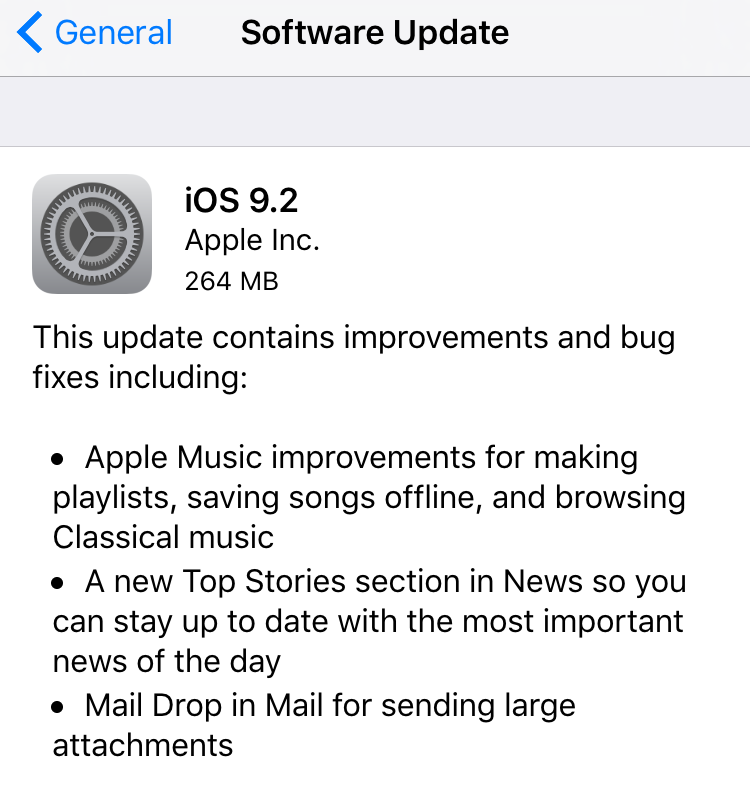
Apple has today released iOS 9.2 update for iPhone's, iPad's... Included in this update is various improvements and bug fixes including: improvements for Apple Music, a new Top Stories in News, and Mail Drop in Mail for large attachments. 

Before updating, remember to backup your iOS device to iTunes or at least iCloud! Then you can update over-the-air on Wi-Fi by going to: Setting > General > Software Update on your iOS device. Or you can also update through iTunes with your device connected to your computer.   

Senin, 09 November 2015

Order iPad Pro From November 11th, Ships Later This Week

iPad Pro with Smart Keyboard accessory. 
Apple has announced today that its new iPad Pro will be available for order on November 11th and will be shipping out later in the week. 

The iPad Pro will be available in over 40 countries including; Australia, Austria, Belgium, Canada, Hong Kong, France, US, UK,  Japan, China, and many more. 


“The early response to iPad Pro from app developers and our customers has been incredible, and we’re excited to get iPad Pro into the hands of customers around the world this week,” said Philip Schiller, Apple’s senior vice president of Worldwide Marketing. “iPad Pro is the most powerful iPad we’ve ever made, giving users the ability to be even more creative and more productive with the epic 12.9-inch Retina display, powerful 64-bit A9X chip and groundbreaking Apple Pencil and new Smart Keyboard. We can’t wait to see what they do with iPad Pro.”

The iPad Pro price begins at USD$799 for a 32GB Wi-Fi model. Comes in Silver, Gold and Space-Gray. The Apple Pencil and Smart Keyboard accessories will be available for USD$99 and USD$169 for the latter. 

See more details at Apple.com 


Rabu, 21 Oktober 2015

Apple Releases iOS 9.1 & OS X 10.11.1 Updates For iPhone, iPad's & Mac's

Apple today has released new updates today: iOS 9.1 for iPhone's and iPad's and OS X 10.11.1 for Mac's.

The iOS 9.1 update includes 150 new emoji characters including the most requested 'middle finger' emoji and some other ones like; a champagne bottle, unicorn head, champagne, robot head, thinking emoji, popcorn, hotdog, and more...

You can install the update by going to Settings > General > Software Update on your iPhone or iPad. Remember to have a backup first!  


On the Mac side, OS X El Capitan 10.11.1 features improvements for: installer reliability, compatibility with Microsoft Office 2016, VoiceOver reliability, support for 150 new emoji's and more...

You can update your system from the Mac App Store. Remember to backup your system first!  


iPhone 6S: Samsung or TSMC? How To Tell Which A9 Chip Is Inside Your iPhone!

iPhone 6S. Image credit: Apple, Inc. 

New iPhone 6S and iPhone 6S Plus users are divided, literally. Not about screen size, but about which company made the processor chip inside their iPhone. It turns out, Apple used two different manufacturers; Samsung and Taiwan Semiconductor Manufacturing Company (TSMC), for the A9 chip inside the latest iPhone models.

But what's the difference? Apparently the Samsung chip is smaller and some have claimed that the battery last longer with the TSMC version. In one benchmark test, apparently the TSMC version lasted for almost 2 extra hours!

So now, if you are a iPhone 6S user, you are probably wondering which company's made chip is inside your iPhone. Unfortunately, there's no way of knowing without downloading an app. An app that can tell you your chips model number is the free app Battery Memory System Status Monitor.

Once you've downloaded the app, tap the 'System' tab and look for the devices model number, which should be right at the top. If your model is N71MAP or N66MAP, congrats, your iPhone has the TSMC A9 chip. If your model is N71AP or N66AP, then you have the Samsung made A9 chipset.

But don't worry, if you have the Samsung chip, Apple has commented and said that the 'tests' don't represent real-world usage, and that there may only be a small 2-3% difference.


Selasa, 20 Oktober 2015

New Apple TV Pre-Order Date Revealed


New details about the all new Apple TV have emerged today from Tim Cook, who was on stage and interviewed at the WSJDLive conference, held in Palm Springs, California.

The all new Apple TV will go on pre-order on Monday October 26th and will begin shipping out at the end of that week.

The new Apple TV features a new operating system called tvOS, Siri voice search, an App Store and a lot more.

The new Apple TV will come in either 32GB ($149) or 64GB ($199).

> View more details about the all new Apple TV on the Apple website.


Sabtu, 17 Oktober 2015

iOS 9: Siri Contacts, Apps & News Suggestions & How to Switch Them Off

New in iOS 9 is a new page on your home-screen. By swiping to the right, users now have a new Search, Siri contacts and app suggestions and recommended news.

With Spotlight Search, you can search for pretty much anything! Search can now scan through your whole iPhone, apps, and you can even search the web.

Siri Suggestions offers users shortcuts to contacts and apps that Siri thinks you may want to access at that time of the day. Siri looks for habits, so it can better assist you and become precognitive. For example if you open Facebook every morning around the same time, Siri may notice this and offer the Facebook app to you as a suggestion at that same time the next day.

Then there is News. Siri can also now suggest news articles that it thinks you'd like to read. Clicking a news article will open it up in the new iOS News app. In the News app, you can customize the content to the topics (and news sources) that you like to read about.

These new shortcuts like accessing apps, contacts, and even reading and catching up on the news may be more convenient for users, but I can see that maybe not everyone would like it. Suggestions for apps or contacts might be useful, but having news on your iPhone home screen can make your iPhone seem a little less personal. If you'd like to keep the news in the app, unfortunately you can't just switch off news. You have to either switch off all Siri Suggestions or leave them all on. If you switch off Siri Suggestions, the new page will still stay on your iPhone, however it will only contain Search.

If you don't like seeing news on the new Siri Suggestions page, you can switch it off, along with Siri Contacts and App suggestions by accessing:

1. Settings.
2. General.
3. Spotlight Search
4. And then switching off 'Siri Suggestions'.


Kamis, 08 Oktober 2015

Facebook Messenger Now On Apple Watch


Facebook Messenger is now available on Apple Watch! It was announced that Facebook would be making a Apple Watch App for Messenger at the September 2015 Apple Keynote Event.

Today's update now allows Messenger users to install the app on their Apple Watch running watchOS 2. After installing the Messenger update from the App Store, users will need to go to the Apple Watch app on their iPhone, find and tap the Messenger app in the list, then switch on "Show App on Apple Watch".

With Messenger on Apple Watch, users can now; view existing messages, reply to messages with preset text, your voice, Messenger Stickers, Your Location, or a Thumbs Up. You cannot, however, create a new conversation with someone who's not in your recent messages from Apple Watch.      

The Facebook Messenger [App Store Link] update for iOS 9 and watchOS 2 is now available in the App Store.  


Rabu, 30 September 2015

Apple Releases iOS 9.0.2 with Bug Fixes & Performance Enhancements


Apple has today released iOS 9.0.2. This minor update includes bug fixes and performance enhancements. 

This update contains bug fixes and improvements including: 
- Fixes an issue with the setting to turn on or off app cellular data usage
- Resolves an issue that prevented iMessage activation for some users
- Resolves an issue where an iCloud backup could be interrupted after starting a manual backup
- Fixes an issue where the screen could incorrectly rotate when receiving notifications
- Improves the stability of Podcasts

This is the second iOS 9 update released by Apple in the last two weeks. You can update your iOS device over-the-air on Wi-Fi by heading to: Settings > General > Software Update. 


Senin, 21 September 2015

Apple Releases WatchOS 2 Update for Apple Watch


Apple has today released the WatchOS 2 update for Apple Watch after delaying the release since last Wednesday (September 16th 2015) due to a 'bug' in the software.  

WatchOS 2 features small changes and upgrades to the Apple Watch software. Among the updates are: 

- New Time-Lapse and Photo watch faces.
- Third party watch complications. 
- Apps can natively run on the Apple Watch.
- See what's coming up on your schedule with Time Travel. 
- Nightstand mode. 
- and more...

To update your Apple Watch, open the Apple Watch app on your iPhone. On the My Watch tab click General, then Software Update. Note, you'll need to be connected to Wi-Fi, have your iPhone nearby, and your Apple Watch with a 50% or more charge - connected to its charger. The update is around 500mb in size. 

Read more about WatchOS 2 and the Apple Watch on Apple's website.

Minggu, 20 September 2015

Malware in App Store Affects Millions of iOS Users

Chinese developers have disclosed that a malware has been found, called XcodeGhost, that has been affecting the App Store and putting millions of iOS users security at risk.

XcodeGhost is a iOS malware hidden inside a hacked version of Apple's free official Xcode program, which is used to create iOS and OS X apps.

XcodeGhost was used by Chinese developers who unknowingly downloaded the malicious program from a Chinese cloud file sharing site, instead of Apple's own App Store - presumably because it gave them quicker download speeds than Apple's severs in China.

The apps created with XcodeGhost made it through Apple's review process and were available on the App Store for millions of iOS users to download.

The apps affected with this malware can collect information about the users iOS device, but more importantly, could: phish users login credentials with fake dialog screens, hijack opening of URL's, read and write into the users clipboard - which means anything copied - like passwords.

U.S. Cyber security firm, Palo Alto Networks, have published details about this XcodeGhost malware, including all the affected apps which include: WeChat, NetEase, CamScanner, OPlayer, WinZip, Musical.ly, PDFReader, MobileTicket, PocketScanner, InstaFollower, WeLoop, SaveSnap, CamCard, and many more.

This malware has potentially affected over 500 million iOS users for all around the world. If you think you have been affected, or have used any of these apps - you should immediately uninstall the apps (see list here) - or update to a patched version. You should also change your iCloud and iTunes account passwords, and any other apps or website passwords that have ever been entered or copied onto your iOS device.